How It Works
From suspicion to certainty in four steps
No manuals, no expertise required. SenseRadar guides you from the first tap to a located device.
Choose your scan
Open the app and start the full radar sweep, or pick a single layer — WiFi, BLE, optical, ultrasonic, EMF or LiDAR — for a targeted check.
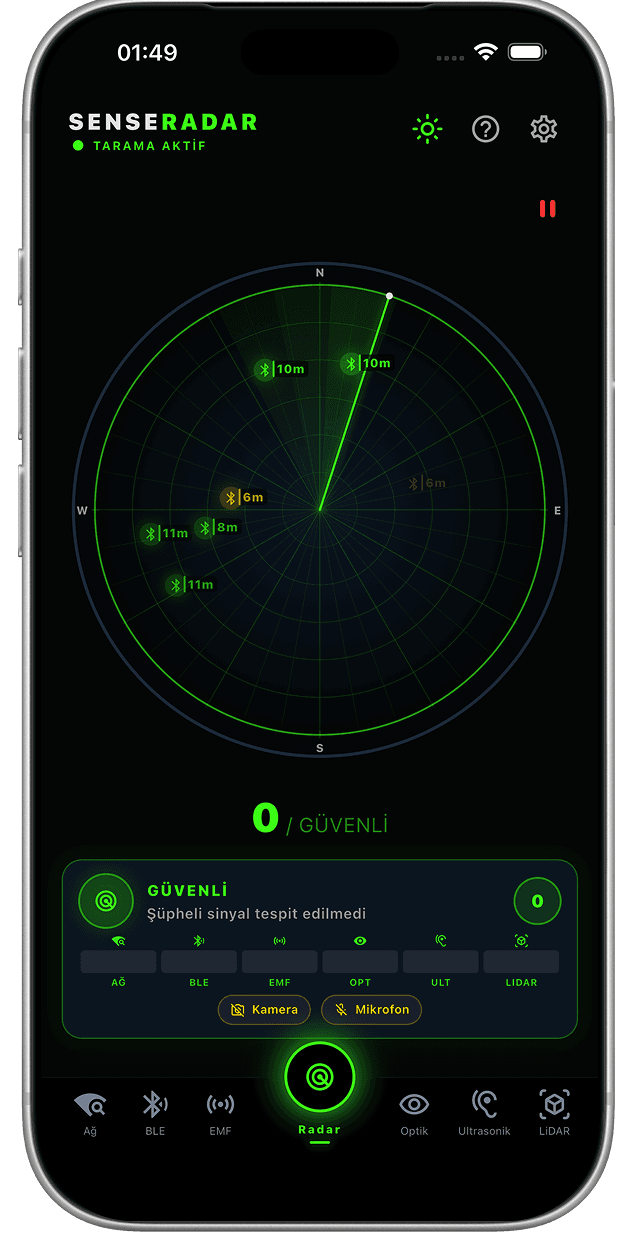
Sweep the room
Walk slowly through the space while the six layers run. Every signal SenseRadar picks up appears on the radar with its direction and identifier.
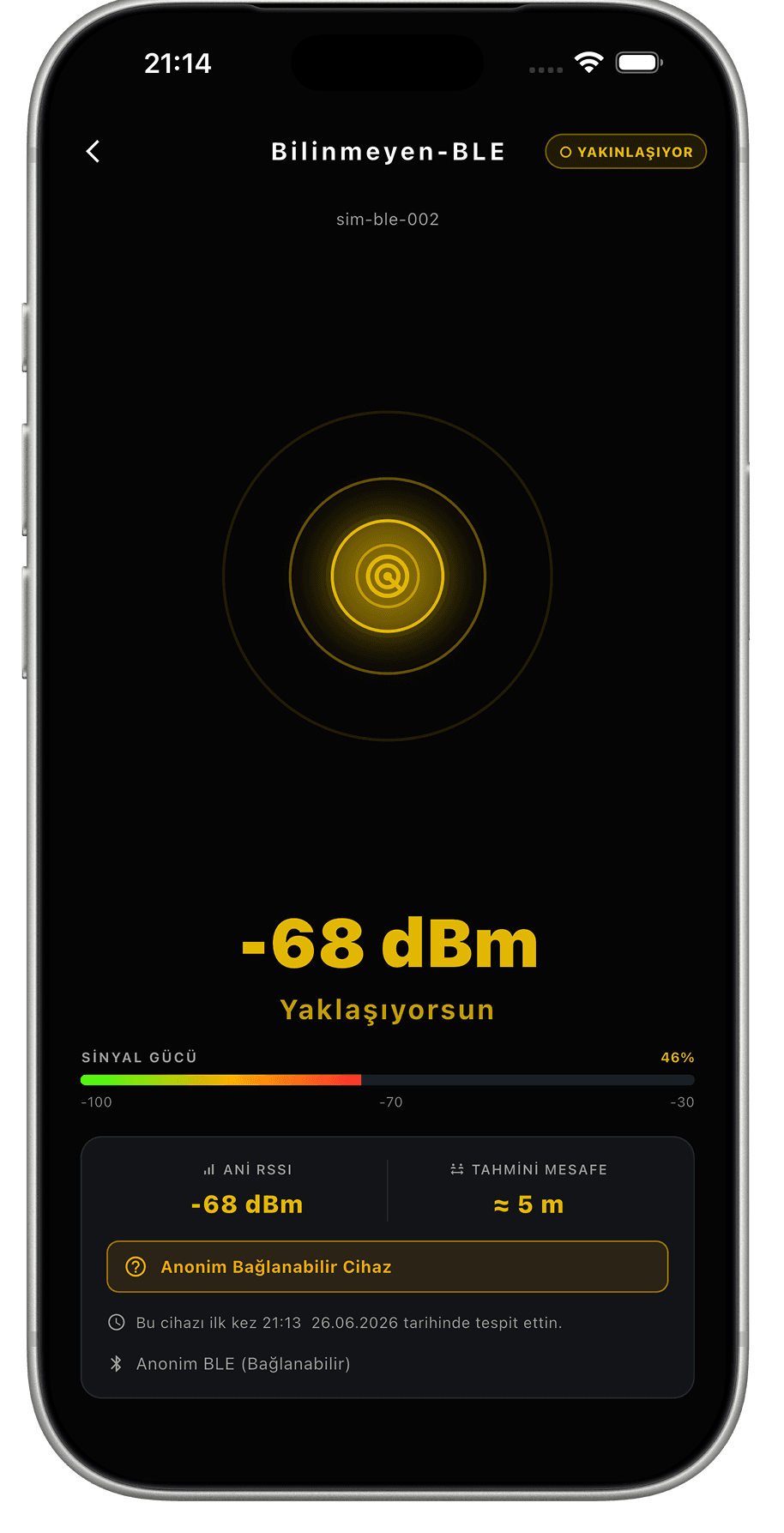
Follow the signal
Select a suspicious signal and follow the live strength meter. As you get closer the reading climbs — like a metal detector for spy hardware.
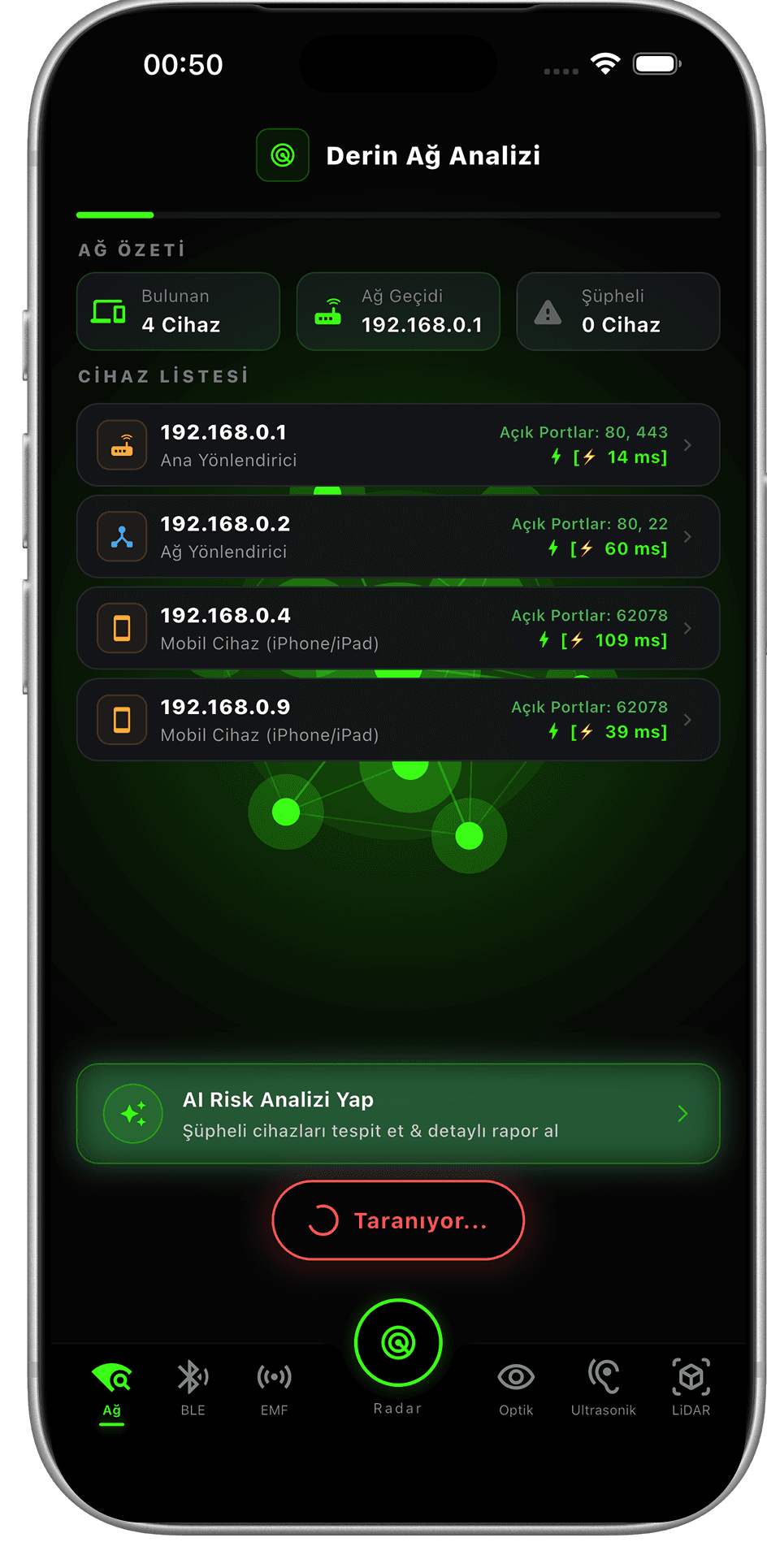
Verify and act
Run the AI risk analysis for a detailed report. If a device is confirmed: don't touch it, document it, and notify your host or the police.
Every step runs on your device. Nothing you scan is ever uploaded, logged or shared.
Help & usage
Get the most out of every module
Field-tested tips straight from the app's help guide. Results are for informational purposes only.
Hidden camera or tracking device?
To find hidden cameras in fixed locations, use Network, Optical and EMF. For mobile tracking devices (AirTag, etc.) hidden in your bag or vehicle, use the BLE Radar first. Keep in mind that some advanced trackers can digitally hide themselves — if suspicion persists, run an EMF (magnetic) scan over your belongings: the battery and speaker magnet inside the device will trigger a red alert at very close range.
Deep Network Analysis
Disable your VPN and connect directly to the WiFi network you suspect for the most accurate results. Wait until the scan is complete — all ports must be analyzed. The system detects ordinary phones, routers and hidden IP cameras by examining each device's open ports and communication protocols.
Bluetooth Scan
Temporarily disable Bluetooth on your own earphones or smartwatch to avoid confusion. As the signal strength (dBm) approaches -30, you are physically very close to the target. The 'Fixed / Resident' warning points to hardware that has been broadcasting in the room for a long time. Important: some smart trackers like the Apple AirTag can enter a 'ghost mode' against third-party scanners when their owner is nearby. If you see unnamed 'Anonymous BLE' devices with a very strong signal (-30 dBm), it could be a concealed tracker.
AI Optical Lens Detection
Turn the room lights completely off or dim them significantly to spot lens reflections (infrared glares) from hidden cameras. Move your phone slowly across the area. For the best AI analysis result, keep the suspected object centered and sharply in focus within the targeting frame on screen.
EMF & Magnetic Field
Uses your phone's magnetometer to measure electromagnetic anomalies. Away from known appliances like televisions or microwave ovens, a sudden spike can reveal that an ordinary picture frame, mirror or smoke detector is concealing electronic hardware. The speaker magnets inside small trackers (AirTag, etc.) that digitally hide themselves will also trigger a red warning when scanned at very close range.
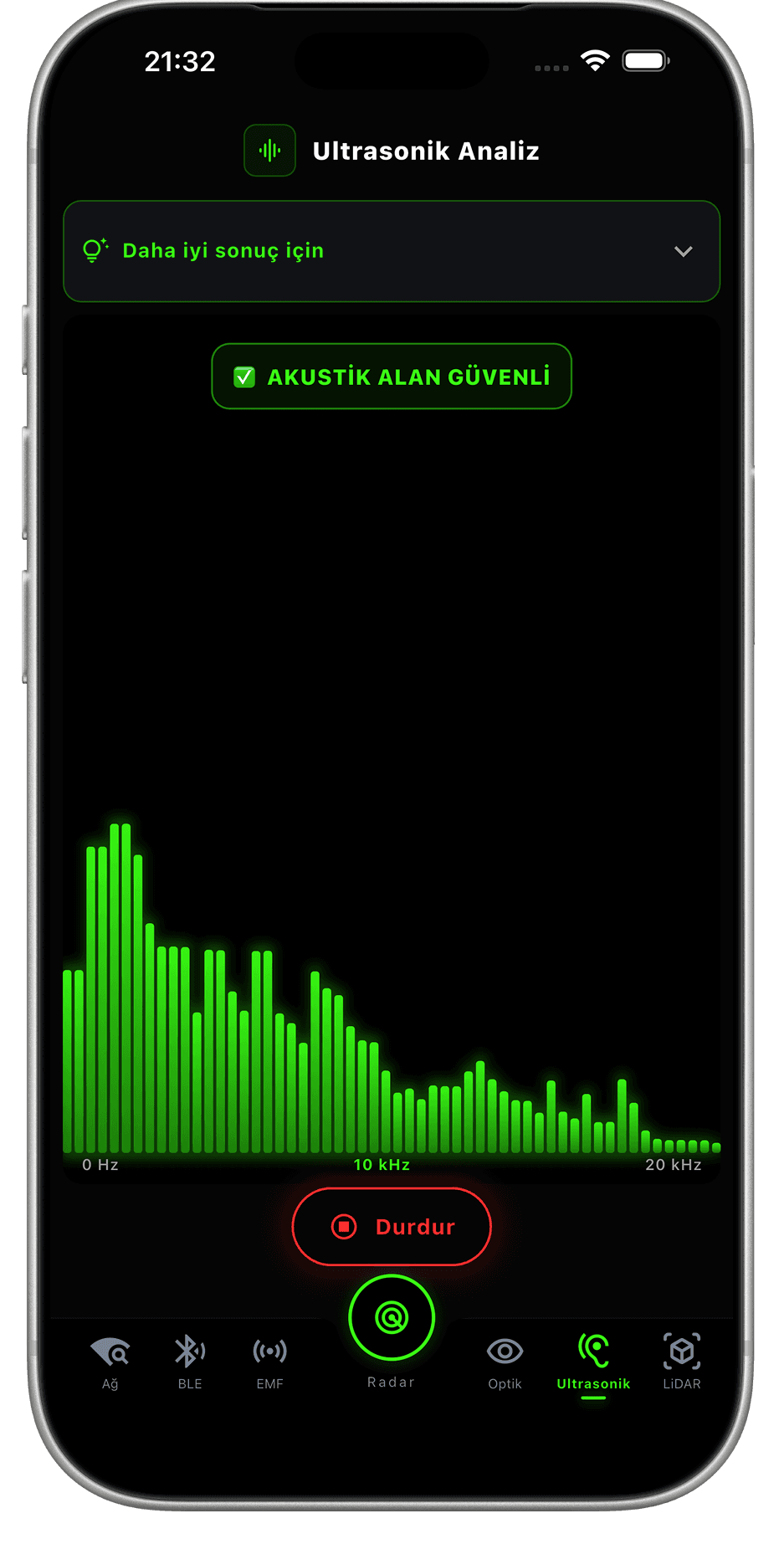
Ultrasonic Field Analysis
Emits inaudible sound waves in the 18–22 kHz range through your speaker and listens for echoes via the microphone. A concealed camera, listening device or wireless charging coil can emit a characteristic ultrasonic signature. For the best results, stand still in the room, and close windows and doors. Pets or some Bluetooth speakers may react to the test signal; this is completely normal.
LiDAR Depth Analysis
Generates a depth map of surfaces on supported iPhone models and detects artificial anomalies. A real wall or picture frame produces a flat, continuous surface profile; a hidden device or cable housing behind it appears as a distinct recessed anomaly. Hold your phone approximately 30–50 cm from the target surface, move it slowly, and make sure the surface is well lit.